
Before you start
- A station workspace with a tested HTTPS stream and your station branding.
- Pro or above. For a custom domain, Business or above and access to your DNS settings.
Set it up in three steps
Choose your template and theme
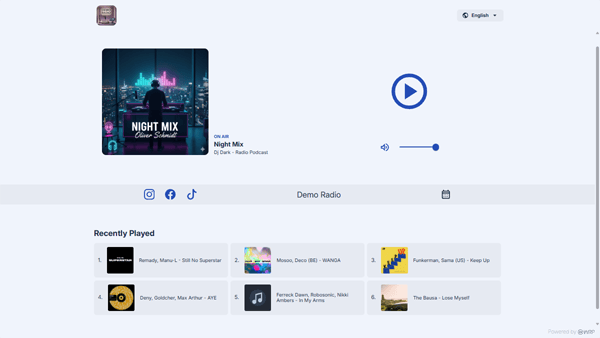
Open Public Pages and start a new page. Choose a template available on your plan, then select a theme that fits your station.
Configure the page
Choose the page’s streams and content. Available sections depend on the template and plan; Business adds options such as sponsor banners, events, and the listener inbox.
Choose an address and publish
Use your station’s address on our domain, or connect a verified custom domain on Business and above. Finish setup, open the published URL, and test the listening experience.
A player included with every hosted page
Hosted pages have their own players. They do not use your embeddable-player configuration slots. Pro includes one hosted page; Business includes up to three.
Use your own domain on Business
Follow the dashboard’s DNS instructions using the exact hostname and target shown for your account. Validate ownership before selecting the domain for a page. DNS changes may take time to become visible. SSL is included.
Choose a plan before you build
Every plan has a 30-day trial. A card is required; cancel before the trial ends to avoid a charge. Prices exclude applicable tax, calculated at Stripe checkout.
- Pro includes Basic Site and Audio Corona on our domain.
- Business adds all templates, custom domains, sponsor banners, events, and the listener inbox.
- Compare current plan prices and quotas on the pricing page.
Check before sharing
- Open the published URL on a phone and desktop. Press Play and check station details, artwork, and your available page sections.
- For a custom domain, confirm that verification succeeds and the domain is assigned to the intended page.
- Review sponsor and contact links on the public page before sharing it with listeners.
Step-by-step documentation
Follow the full walkthrough
Need help with your setup? Contact support.