Why Your Web Radio Player is Silent on Safari and iOS (And How to Fix It)
Why does your web radio player randomly go silent on iPhones? Discover the technical reasons behind Safari's strict Autoplay restrictions and how to permanently fix your stream for iOS listeners.
There is a specific type of support ticket that strikes fear into the heart of every internet radio station manager. It usually looks something like this:
"The web player works perfectly on my laptop, but when I open it on my iPhone, nothing happens. I click play, the timer doesn't move, and there is completely no sound. Is your station broken?"
You fire up Chrome or Firefox on your desktop, hit your site, and the stream plays flawlessly. You test it on an Android device. Perfect. But the second you borrow an iPhone or open Safari on a Mac, you are met with dead silence.
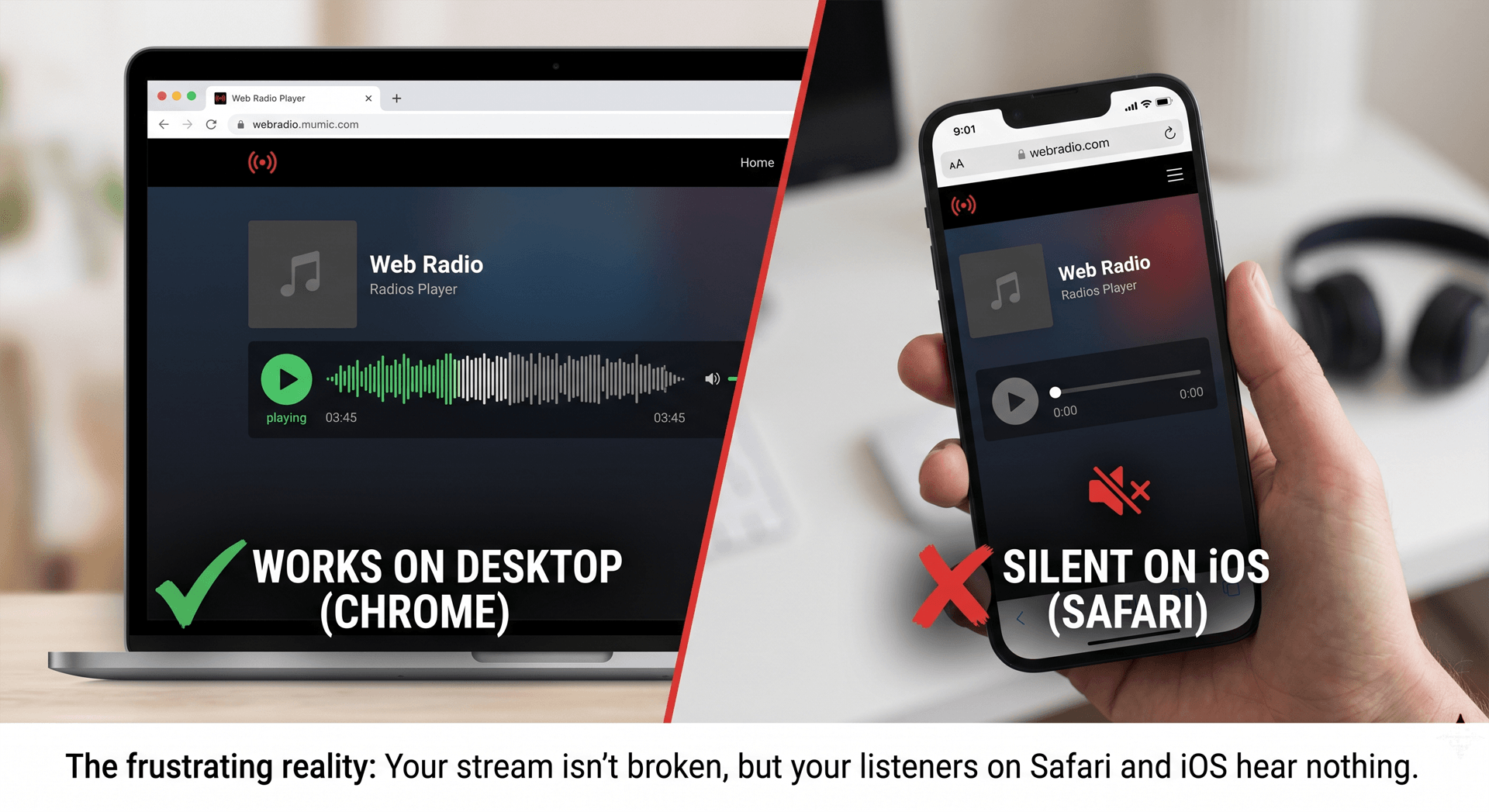
Your stream isn’t broken. Your server isn't down. What you are running into is one of the most aggressive, frustrating web browser security policies implemented over the last decade: Apple's strict Autoplay and Web Audio API restrictions.
Let's look at exactly why Safari kills web radio streams, the technical hurdles under the hood, and how you can permanently fix your player so you never lose an iOS listener again.
1. The Core Culprit: Apple’s Autoplay Policy
Back in 2017, Apple made a drastic change to Safari (on both macOS and iOS) to prevent spammy ads from blasting audio at users unexpected. They introduced a strict rule: No media element can play audio unless it is triggered by a direct, explicit user interaction (like a tap or a click).
While this was great for blocking annoying ads, it created massive issues for streaming audio applications.
If your web player uses any kind of delayed initialization - such as fetching the current track metadata from an API before triggering the play() function on your Icecast/Shoutcast stream - Safari views that delay as non-user-initiated. To Safari, a script is trying to force audio onto the user, so it silently blocks the stream.
2. The Nightmare of Silence Detection and the Web Audio API
For advanced web radio players, the problem goes a step deeper. Modern players don’t just use a basic HTML <audio> tag; they route the audio through the Web Audio API to handle features like:
- Visualizers (e.g., canvas or WebGL animations)
- Seamless volume crossfading
- Silence Detection / Stream Monitoring
To analyze audio data for silence detection or visualizers, the browser has to create an AudioContext.
Here is the catch: In Safari, an AudioContext is created in a "suspended" state by default. If your code tries to hook up a stream to a suspended context, the browser will literally process the stream at zero volume.
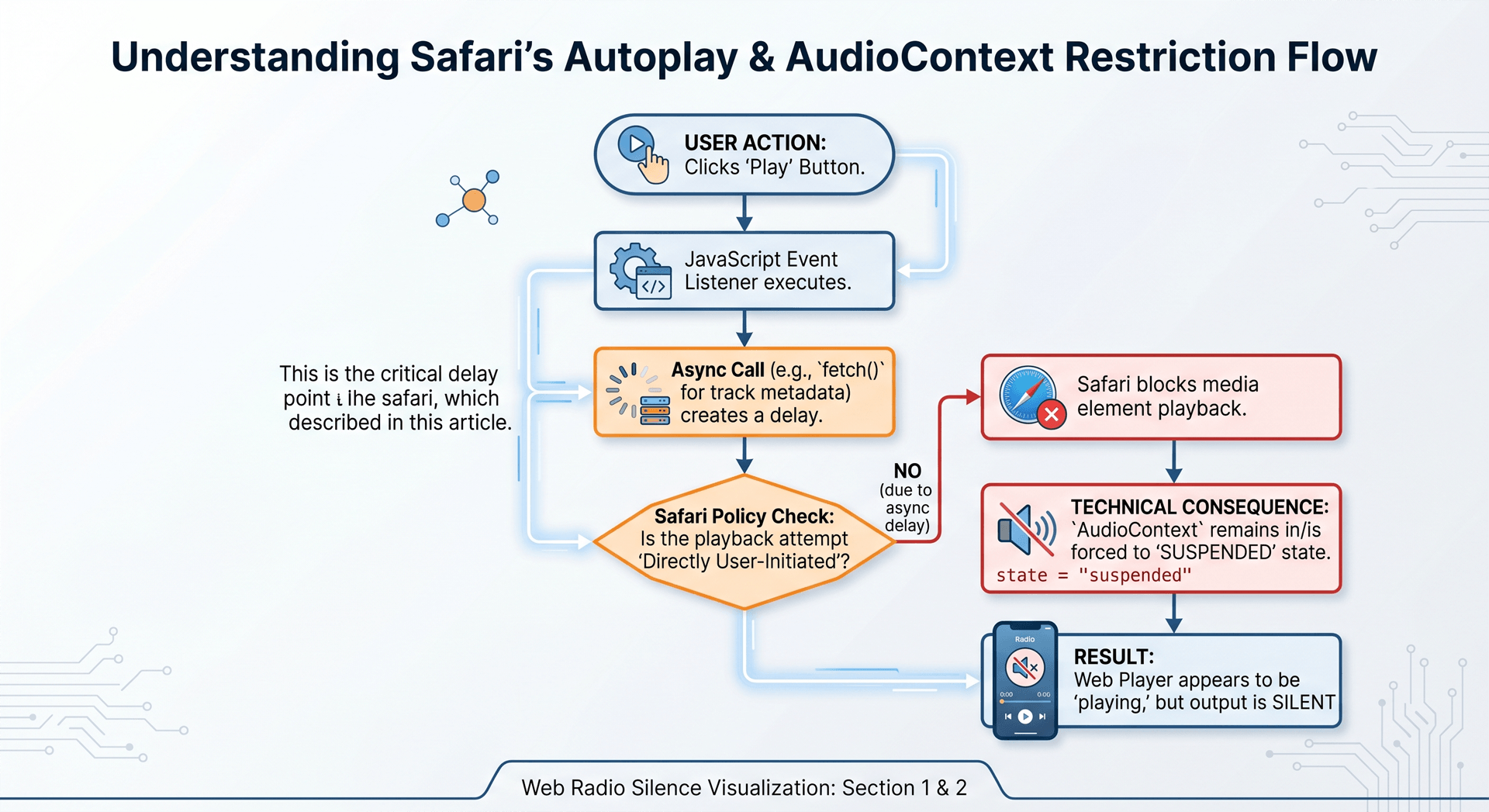
To make matters worse, if a user switches tabs, locks their iPhone, or receives a phone call, Safari aggressively puts the background tab's AudioContext to sleep. When they come back, your player might look like it's playing, but the audio data pipeline is completely frozen.
3. How to Fix It (The Hard Way)
If you are writing custom JavaScript for your player, fixing this requires strict adherence to a specific execution pattern.
Step A: Unlock the Audio Context Instantly
You must catch the user's very first interaction (the initial "Play" button tap) and immediately resume or create the AudioContext right inside that execution block. There can be zero asynchronous calls (no fetch(), no axios(), no setTimeout()) between the click event and the context unlock.
JavaScript
button.addEventListener('click', () => {
    // This MUST happen instantly in the click handler for Safari
    if (audioContext.state === 'suspended') {
        audioContext.resume();
    }

    // NOW you can safely trigger your stream playback
    playStream();
});
Step B: Handle the iOS Background Interruption Trap
You have to listen for state changes on the web page and explicitly force the player to re-synchronize its audio clock when the app returns from the background. If you don't track the visibilitychange API or the onpagehide events, your player will break the moment an iPhone screen turns off.
4. The Easy Way: Let WebRadioPlayers Handle the Quirks
Building a web player that perfectly balances custom audio analysis, gorgeous visualizers, and strict browser compatibility across Chrome, Firefox, Safari, and mobile web views is an ongoing development battle. Apple changes its web engines slightly with almost every iOS release.
We built WebRadioPlayers because station owners shouldn't have to spend weeks debugging asynchronous JavaScript loops just to ensure their streams work on an iPhone.
Our standard and full-screen players are engineered from the ground up to natively handle browser-specific audio quirks:
- Instant Unlocking: Our UI binding ensures that
AudioContextnodes and HTML5 audio elements are primed the exact microsecond a listener interacts with the player. - Responsive Visuals: Out-of-the-box WebGL and canvas animations that sync perfectly with the decoded audio data across all desktop and mobile devices.

Don't let rigid browser policies cut off half of your mobile audience. Use a web radio framework built for the modern web.
The player has to be built for those browser rules — not a leftover host widget. Use an HTML5 player for SHOUTcast and Icecast, or embed it in WordPress.